Megaputer

Overview

Megaputer, needed a website that could match the sophistication of its technology while being accessible to users. The previous site was cluttered with too much content, inconsistent visuals, and confusing navigation. The redesign transformed it into a modern, responsive experience with a simplified information architecture, scalable design system, and clear content hierarchy that improved usability, trust, and engagement.

Deliverables

Information Architecture & UX Strategy

Design System & Visual Guidelines

Website Redesign & Development

Prototypes & Developer Handoff Assets

Have you ever been frustrated by a website that made you work harder than it should - too many clicks, too many words, and not enough clarity?

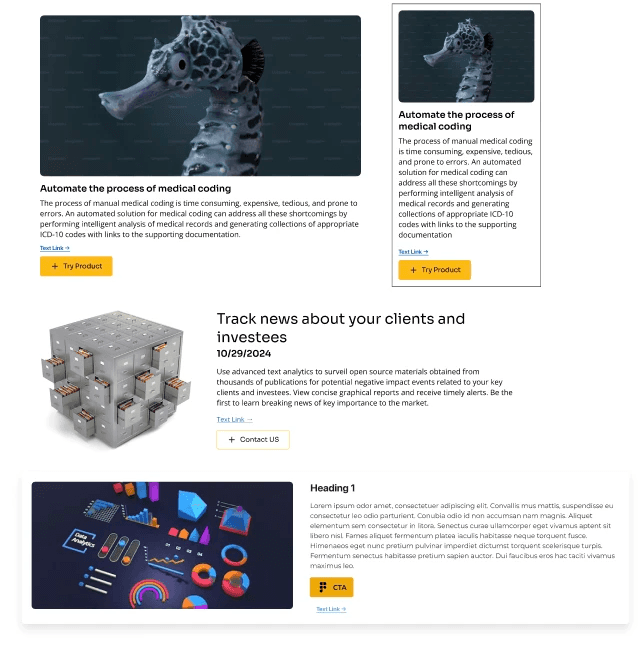
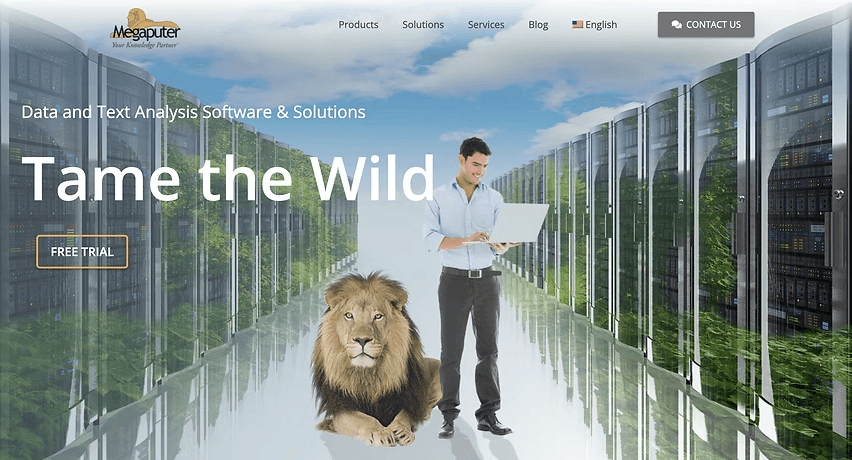
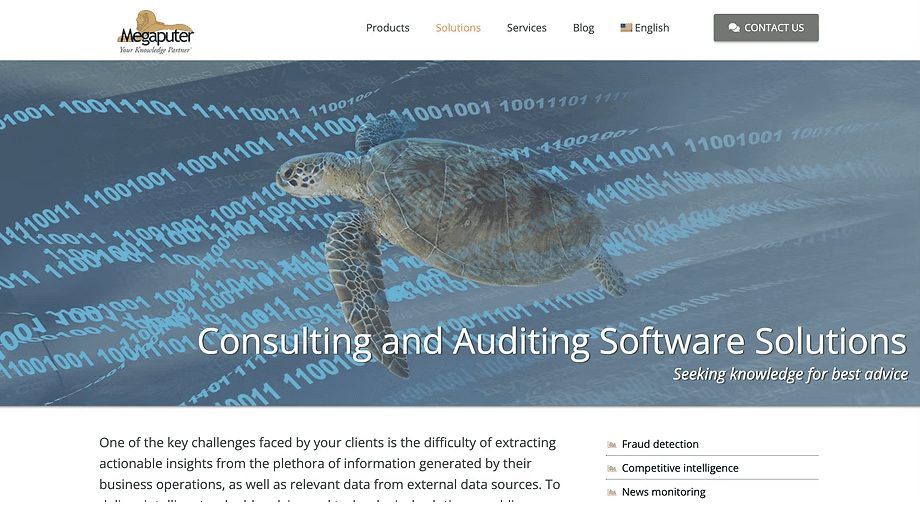
That was the kind of experience users had on Megaputer’s website, take a look at the image below for a quick glimpse.
The 3 main reasons for this frustration were:

  1. Usability Limitations

Complex information architecture and inconsistent design made it difficult for users to navigate and find the information they needed.
  1. Weak Brand Representation

The current website lacks a unified visual identity, hindering Megaputer's ability to communicate its brand message effectively.
  1. User Engagement Issues

The text-heavy design and inconsistent design elements, like clashing button colors, made content difficult to navigate, discouraged users from exploring Megaputer's offerings, and hurt lead generation.

So, how were these frustrations " the why " discovered in the first place?

To guide the redesign of Megaputer’s website, an extensive literature review was conducted on usability, web analytics, accessibility, branding, and optimization covering over:

06

Books

06

Books

06

Books

10

Articles

10

Articles

10

Articles

03

Papers

03

Papers

03

Papers

Books:
The reviewed books focused on the foundations of usability, user-centered design, analytics, and optimization in website development.

3 main key takeaways:

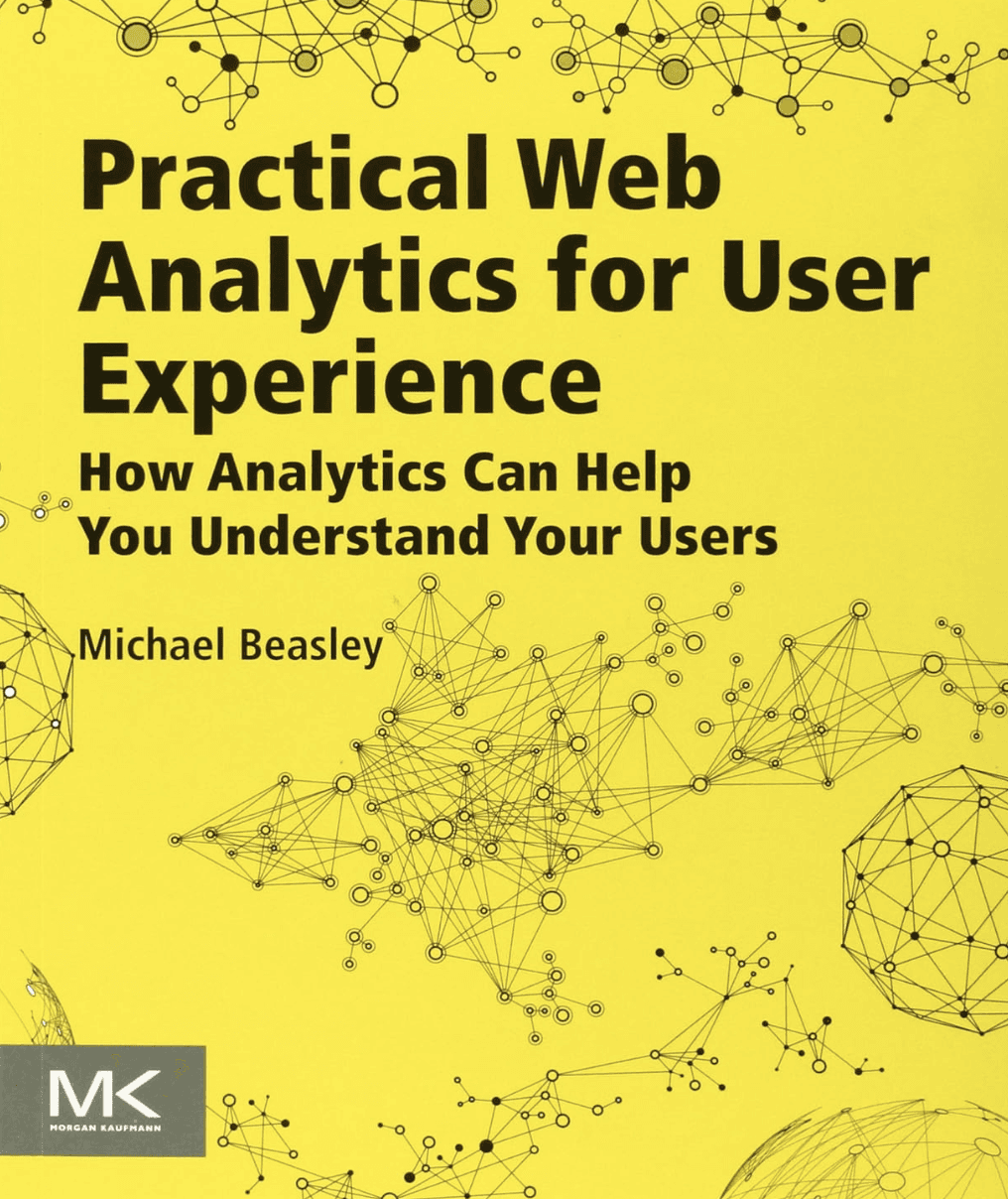
Analytics and UX integration enables data-informed prioritization

→ Beasley demonstrates that analytics only become valuable when paired with user insights. By merging quantitative data with qualitative research, teams can identify high-impact pain points and design changes that truly improve outcomes.
Analytics and UX integration enables data-informed prioritization

→ Beasley demonstrates that analytics only become valuable when paired with user insights. By merging quantitative data with qualitative research, teams can identify high-impact pain points and design changes that truly improve outcomes.

Analytics and UX integration enables data-informed prioritization

→ Beasley demonstrates that analytics only become valuable when paired with user insights. By merging quantitative data with qualitative research, teams can identify high-impact pain points and design changes that truly improve outcomes.

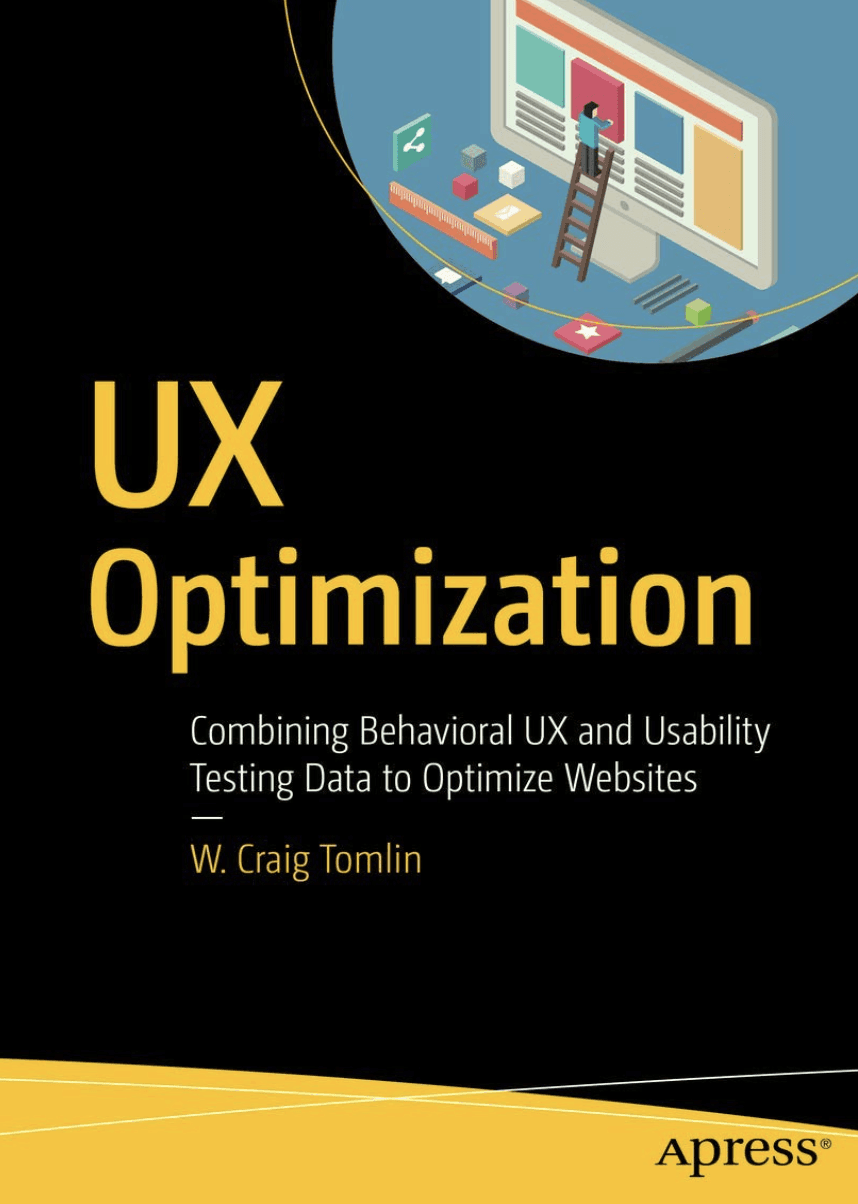
Behavior-driven optimization fuels continuous improvement

→ Toml reinforces that design is never final. Behavioral UX data, when combined with usability testing, enables iterative refinement, optimizing layouts, interactions, and performance through measurable feedback cycles.
Behavior-driven optimization fuels continuous improvement

→ Toml reinforces that design is never final. Behavioral UX data, when combined with usability testing, enables iterative refinement, optimizing layouts, interactions, and performance through measurable feedback cycles.

Behavior-driven optimization fuels continuous improvement

→ Toml reinforces that design is never final. Behavioral UX data, when combined with usability testing, enables iterative refinement, optimizing layouts, interactions, and performance through measurable feedback cycles.

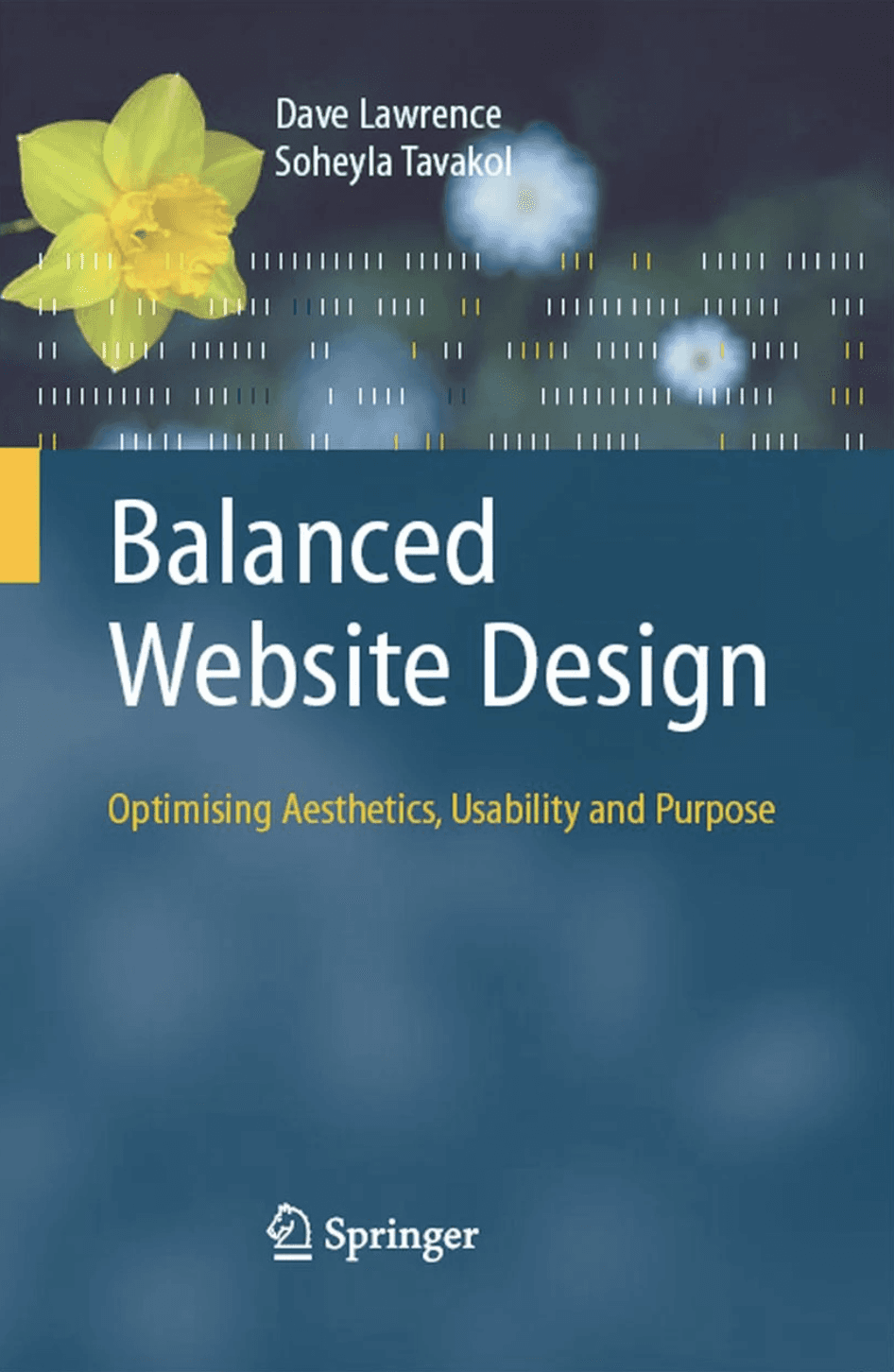
Balanced design aligns beauty, clarity, and purpose

→ Aesthetics should enhance usability, not compete with it. This book highlights the need for visual hierarchy, consistency, and meaningful design intent, ensuring every visual choice supports user comprehension and flow.
Balanced design aligns beauty, clarity, and purpose

→ Aesthetics should enhance usability, not compete with it. This book highlights the need for visual hierarchy, consistency, and meaningful design intent, ensuring every visual choice supports user comprehension and flow.

Balanced design aligns beauty, clarity, and purpose

→ Aesthetics should enhance usability, not compete with it. This book highlights the need for visual hierarchy, consistency, and meaningful design intent, ensuring every visual choice supports user comprehension and flow.

Articles:
The reviewed articles explored key principles of scannability, accessibility, SEO, and branding essential elements for improving usability and credibility in digital products.

Key takeaways:

1. Poor Information Hierarchy & Scannability
Most users struggled with dense, text-heavy layouts that lacked clear visual hierarchy. Literature emphasized that unstructured content increases cognitive load, especially on analytical websites, reducing comprehension and engagement.
2. Inconsistent Accessibility & Usability Standards
Accessibility was often treated as a checklist rather than a design principle. Research highlighted that inclusive design improves overall usability, and failing to align with WCAG or behavioral UX insights leads to lost trust and engagement gaps.
3. Weak Brand Consistency & Visual Cohesion
Many studies noted that disjointed UI patterns and outdated aesthetics can dilute brand credibility. A cohesive visual system and rebranding strategy are critical to building trust and professional recognition.
4. Low SEO & Mobile Optimization Impact
Ineffective SEO and unresponsive layouts restricted discoverability and scalability. Literature showed that integrating SEO with UX strategy and ensuring responsive performance are key to visibility, retention, and user satisfaction.

Papers:
The reviewed research papers focused on the relationship between SEO, accessibility, usability, and user engagement in modern web environments.

1. SEO and UX performance are interdependent — David Juarez & Manuel Angel Juarez Varon (2024)

This study found that high search engine rankings do not always equate to strong user experiences. By analysing top 30 search results for 638 keywords in Spain’s toy sector and measuring user experience using neuromarketing biometrics, the authors demonstrated that many websites with excellent SEO performance still struggle with user trust, ease of navigation and purchase decision-making. The findings highlight the importance of balancing SEO efforts (visibility) and UX design (usability) to achieve both traffic and meaningful engagement.

2. Accessibility enhances engagement and retention — Amaia Aizpurua, Simon Harper, Markel Vigo (2016)

The study by Aizpurua, Harper, and Vigo (2016) reveals that perceived accessibility, how intuitive, clear, and usable a website feels, has a strong positive impact on user satisfaction, clarity, and engagement. Rather than just meeting accessibility standards, sites that feel accessible encourage users to stay longer and interact more confidently. In essence, accessibility directly supports both engagement and retention by creating smoother, more inclusive experiences for everyone.

3. Reduced cognitive load improves comprehension and task success — Janet Patton Tracy & Michael J. Albers (2006)

The paper concludes that measuring cognitive load is an effective, objective way to evaluate website usability. High mental effort often signals confusion, slower performance, and reduced comprehension. By using tools like NASA-TLX and memory tests, designers can identify where users struggle and refine layouts, content, and navigation for smoother, more intuitive experiences. Reducing cognitive load helps users think less and accomplish more efficiently.

1. SEO and UX performance are interdependent — David Juarez & Manuel Angel Juarez Varon (2024)

This study found that high search engine rankings do not always equate to strong user experiences. By analysing top 30 search results for 638 keywords in Spain’s toy sector and measuring user experience using neuromarketing biometrics, the authors demonstrated that many websites with excellent SEO performance still struggle with user trust, ease of navigation and purchase decision-making. The findings highlight the importance of balancing SEO efforts (visibility) and UX design (usability) to achieve both traffic and meaningful engagement.

2. Accessibility enhances engagement and retention — Amaia Aizpurua, Simon Harper, Markel Vigo (2016)

The study by Aizpurua, Harper, and Vigo (2016) reveals that perceived accessibility, how intuitive, clear, and usable a website feels, has a strong positive impact on user satisfaction, clarity, and engagement. Rather than just meeting accessibility standards, sites that feel accessible encourage users to stay longer and interact more confidently. In essence, accessibility directly supports both engagement and retention by creating smoother, more inclusive experiences for everyone.

3. Reduced cognitive load improves comprehension and task success — Janet Patton Tracy & Michael J. Albers (2006)

The paper concludes that measuring cognitive load is an effective, objective way to evaluate website usability. High mental effort often signals confusion, slower performance, and reduced comprehension. By using tools like NASA-TLX and memory tests, designers can identify where users struggle and refine layouts, content, and navigation for smoother, more intuitive experiences. Reducing cognitive load helps users think less and accomplish more efficiently.

1. SEO and UX performance are interdependent — David Juarez & Manuel Angel Juarez Varon (2024)

This study found that high search engine rankings do not always equate to strong user experiences. By analysing top 30 search results for 638 keywords in Spain’s toy sector and measuring user experience using neuromarketing biometrics, the authors demonstrated that many websites with excellent SEO performance still struggle with user trust, ease of navigation and purchase decision-making. The findings highlight the importance of balancing SEO efforts (visibility) and UX design (usability) to achieve both traffic and meaningful engagement.

2. Accessibility enhances engagement and retention — Amaia Aizpurua, Simon Harper, Markel Vigo (2016)

The study by Aizpurua, Harper, and Vigo (2016) reveals that perceived accessibility, how intuitive, clear, and usable a website feels, has a strong positive impact on user satisfaction, clarity, and engagement. Rather than just meeting accessibility standards, sites that feel accessible encourage users to stay longer and interact more confidently. In essence, accessibility directly supports both engagement and retention by creating smoother, more inclusive experiences for everyone.

3. Reduced cognitive load improves comprehension and task success — Janet Patton Tracy & Michael J. Albers (2006)

The paper concludes that measuring cognitive load is an effective, objective way to evaluate website usability. High mental effort often signals confusion, slower performance, and reduced comprehension. By using tools like NASA-TLX and memory tests, designers can identify where users struggle and refine layouts, content, and navigation for smoother, more intuitive experiences. Reducing cognitive load helps users think less and accomplish more efficiently.

Heuristic Evaluations

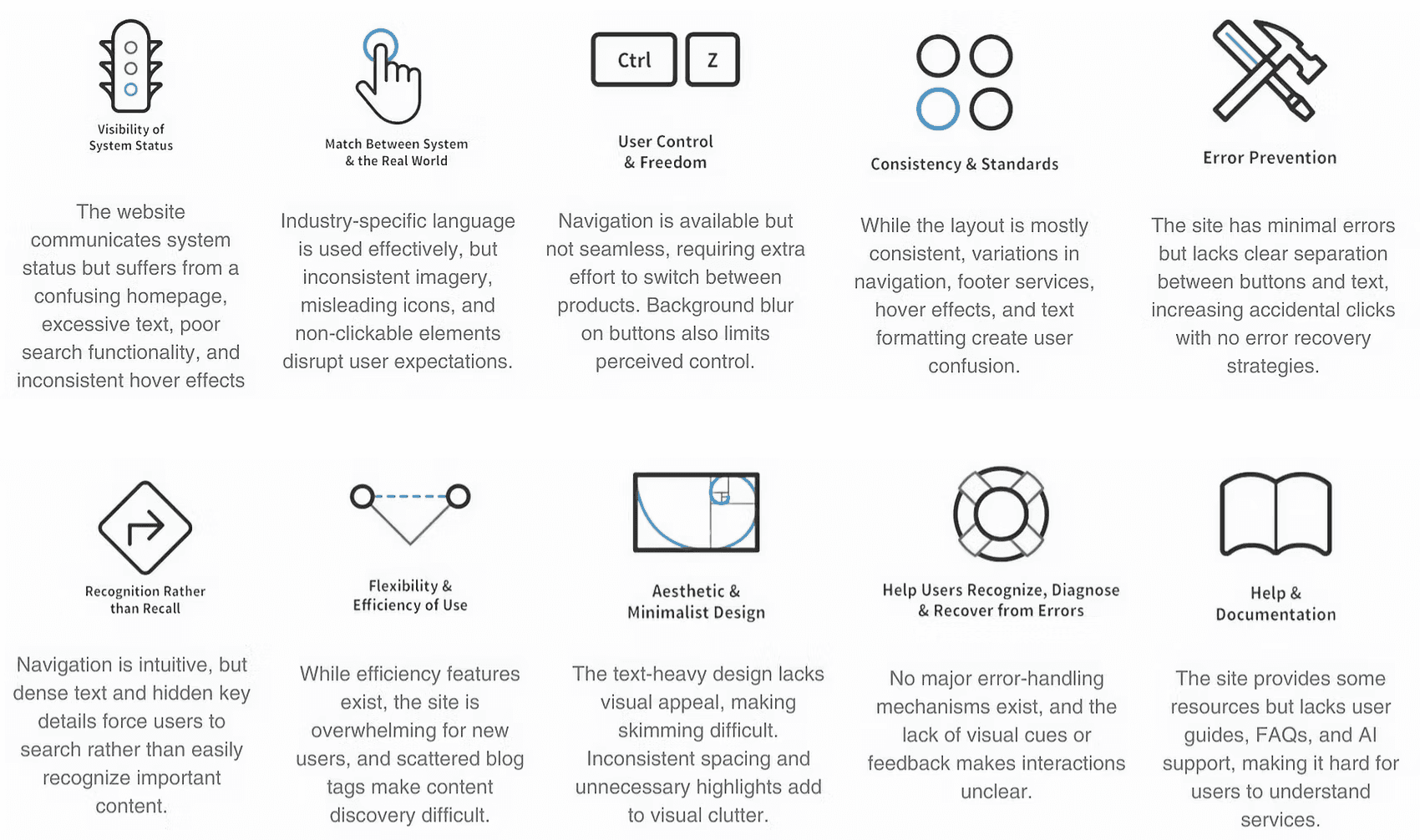
To identify usability gaps in Megaputer’s existing website, a heuristic evaluation was conducted using Jakob Nielsen’s ten heuristics. It revealed issues like cluttered layouts, inconsistent navigation, unclear visual hierarchy, and poor feedback, forming the basis for a more intuitive and consistent redesign.
Competitive Analysis

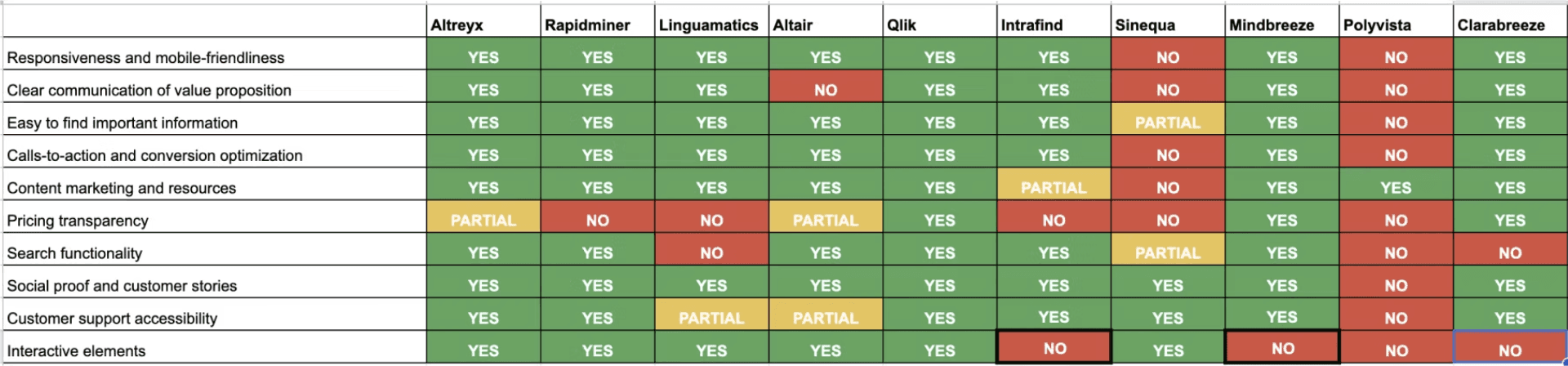
A comparative evaluation of 10 enterprise text analytics platforms was conducted to examine their structural, visual, and informational design patterns. This analysis provided insights into prevailing industry standards and areas for enhancing Megaputer’s user experience.
User Interviews

User Interviews

User Interviews

User Interviews

Given that Megaputer’s product serves as an analytics platform for both technical and business users, data analysts, domain experts, and stakeholders were interviewed to capture insights from those who build, interpret, and rely on the analyses.

Total Number of interviews

10

Data Analyst

4

Domain Expert

1

Stakeholders

5

Overwhelming Navigation Structure

Overwhelming Navigation & Information Architecture

Users found it difficult to locate information due to multiple layers of menus and scattered pages across the site.

Users struggled to locate relevant solutions due to disorganized menus, overlapping categories, and inconsistent hierarchy, revealing the urgent need for a simplified, intuitive structure.

Unclear Terminology & Technical Jargon

Abbreviations and domain-specific language (like DOL, SCA) confused even expert users, emphasizing the importance of plain language, contextual help, and consistency in labeling.

Outdated, Redundant, and Text-Heavy Content

Excessive text, outdated solutions, and duplicated pages overwhelmed users and reduced credibility — driving the decision to streamline content and focus on key offerings like AI and Text Analysis.

User Survey - Data Collection

User Survey - Data Collection

User Survey - Data Collection

User Survey - Data Collection

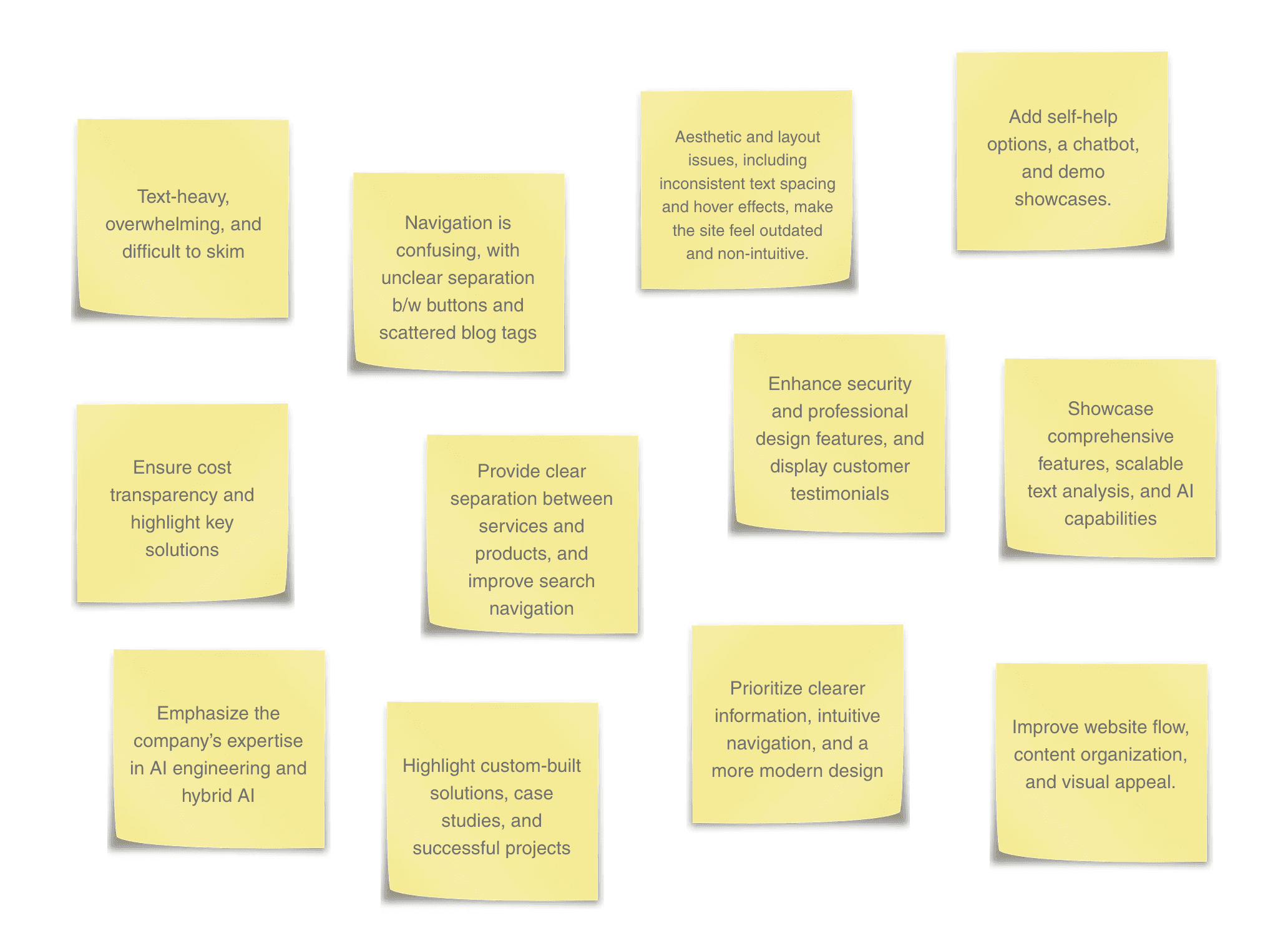
To understand the company from an internal perspective, we circulated a short questionnaire among Megaputer employees. Their responses helped us understand how the company is perceived, what works well, and what aspects of the website need improvement.

These inputs guided us in highlighting Megaputer’s strengths while addressing key usability and design challenges.
Data Analysis

Data Analysis

Data Analysis

Data Analysis

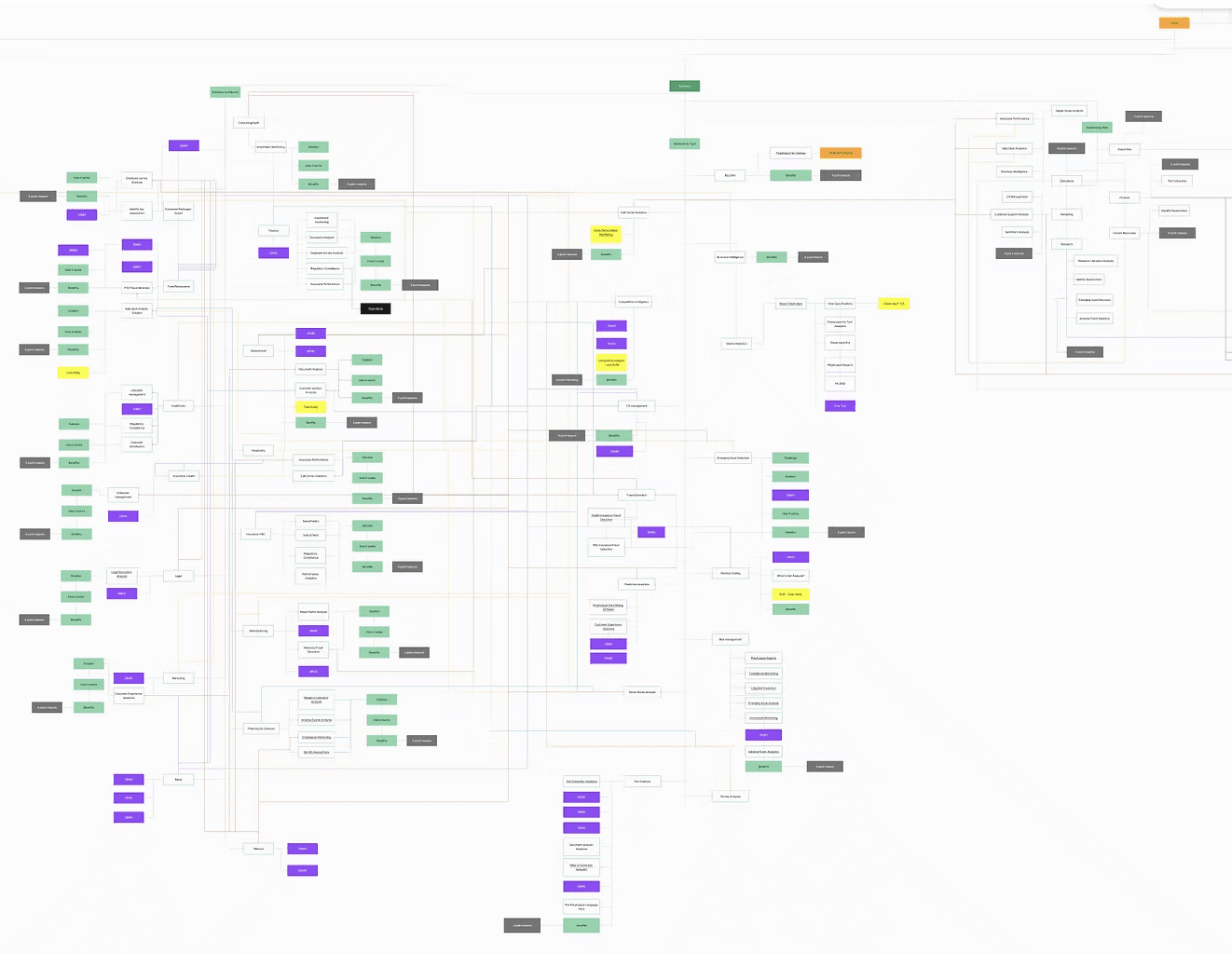
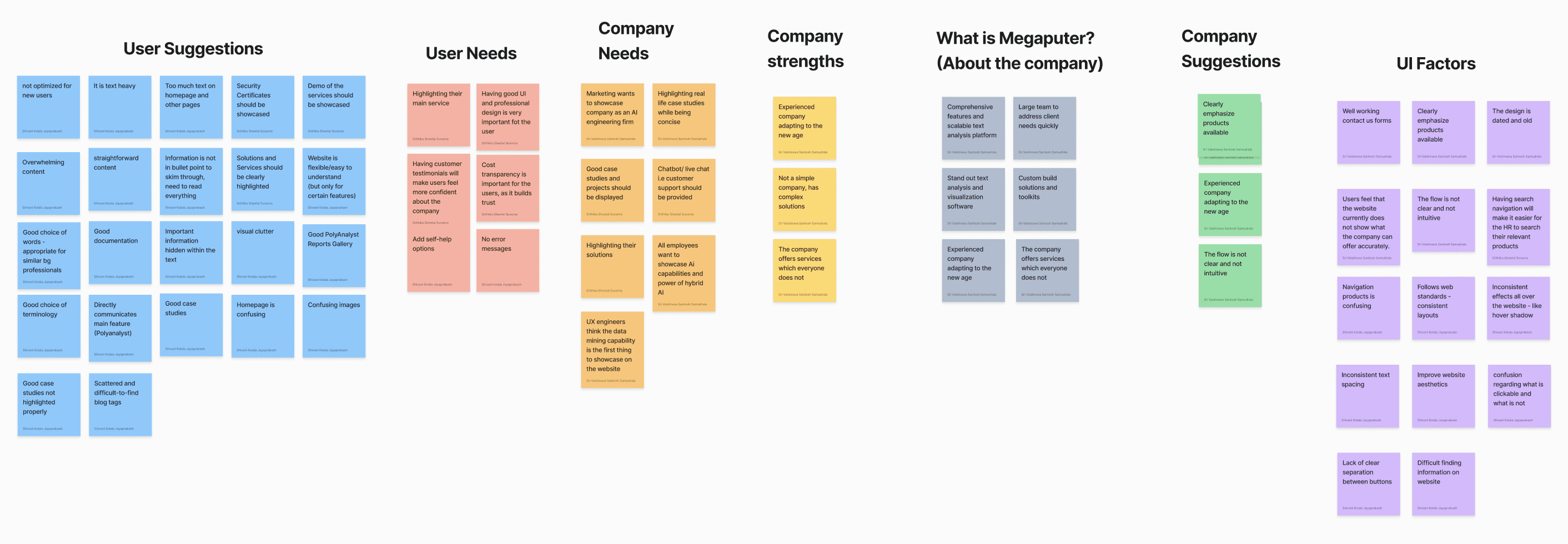
One of our primary tasks was to reverse-engineer the existing website to comprehend its structure and flow. This involved exploring over 100 pages to gain a clear understanding of how the site is organized.


To approach this systematically, we first browsed through the pages and developed a set of metrics to categorize different types of pages and links. By doing so, we could effectively sort the information in 7 recurring themes, reducing overlaps and confusion.
Card Sorting

Card Sorting

Card Sorting

Card Sorting

The Solutions page had one of the most complex structures on the website, multiple pages for a single solution, unclear grouping, and inconsistent terminology. Users struggled to find relevant content or understand categories.

To address this, 4 card sorting sessions were conducted, one with internal team and second with in company users to reorganize and simplify the information architecture.

How did this research help in solve the problem?

Information Architecture

Design System

Golden Flow

Information Architecture

Design System

Golden Flow

Information Architecture

Design System

Golden Flow

Information Architecture

Design System

Golden Flow

After the interviews and card-sorting sessions, it became clear that the website’s information architecture needed major restructuring. To simplify navigation and make the site more intuitive, three key changes were made:

Combining categories to reduce category list

Separating sub-categories from main categories in sub-sections

Eliminating pages with no information and adding a new category

Impact

These changes reduced the total Solutions pages from nearly 80 to 35, clarified the content flow, and made company features easier to discover.

Old- Information Architecture

New- Information Architecture

Design System

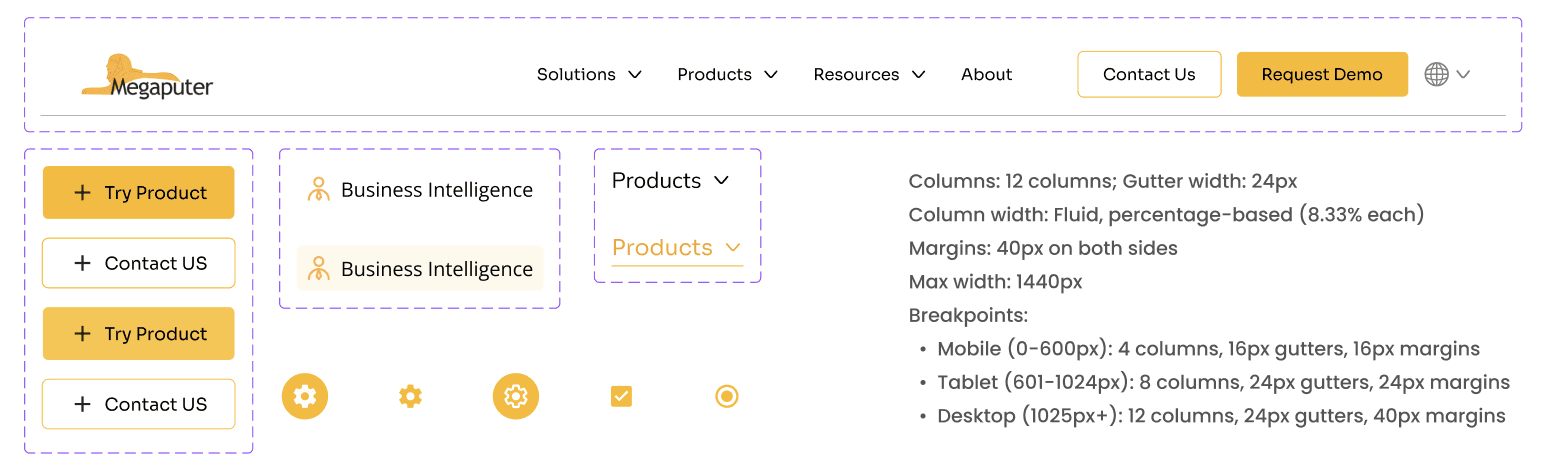
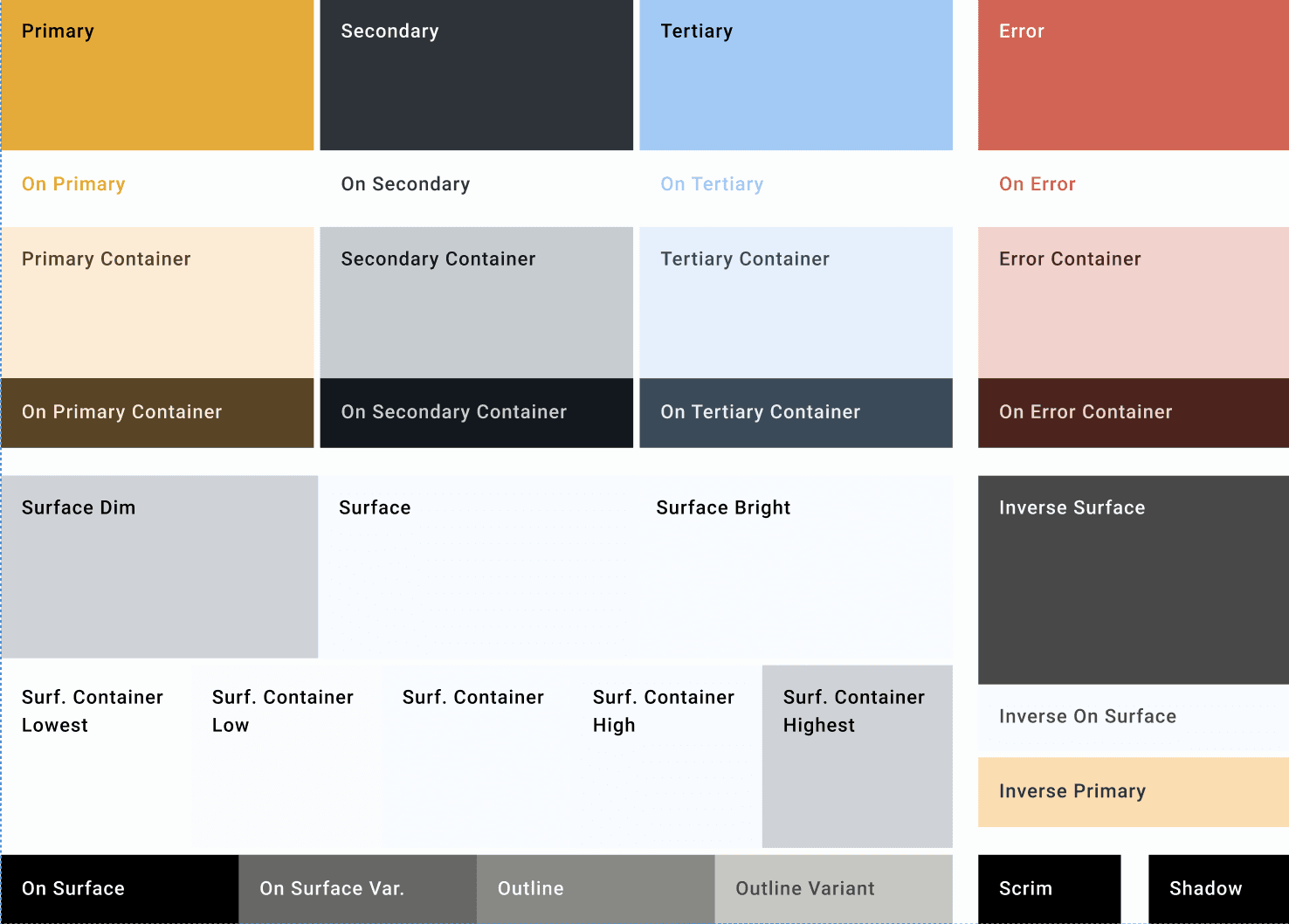
Once the structure was set, the next step was to bring consistency to how the brand looked and felt.


The lack of visual balance and identity coherence led to the development of a unified Design System, one that ensured clarity, accessibility, and trust across every interaction.
Impact

Before

After
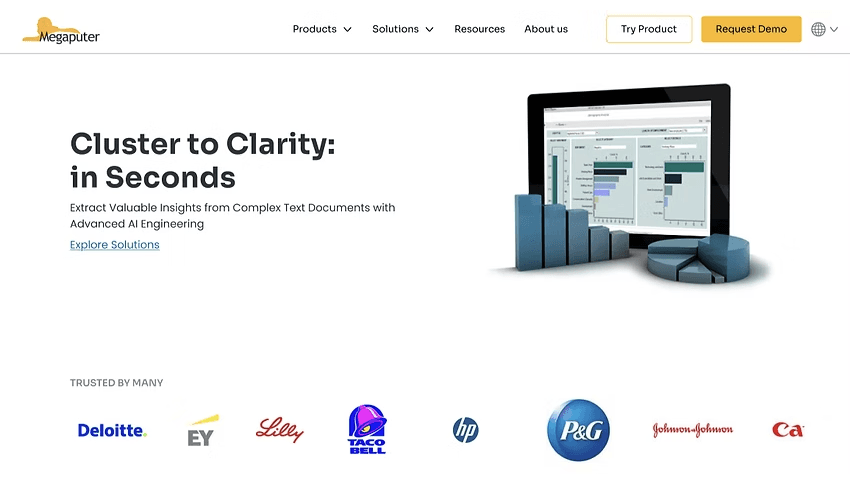
The current homepage lacks clarity and credibility, with irrelevant imagery that distracts users and creates confusion in their experience.

The new homepage strengthens trust through authentic visuals, partner recognition, and a clear, user-focused layout.
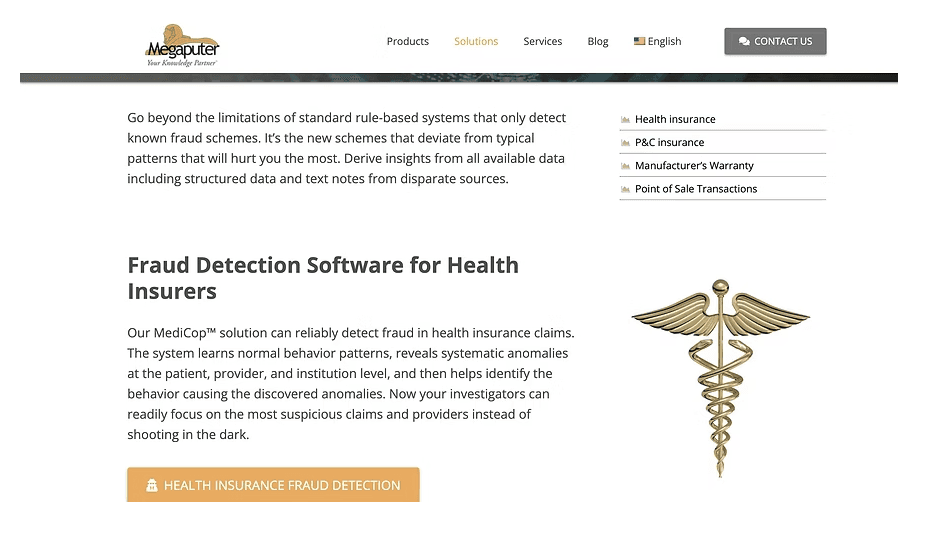
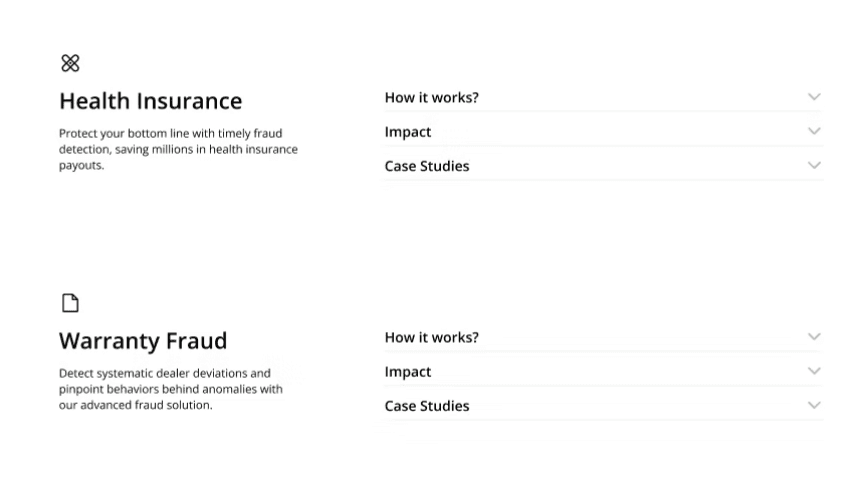
Dense content and multiple redirects reduced readability, making it hard for users to scan the content or identify what’s most important.

The redesigned layout simplifies navigation with clear categories, collapsible sections and concise summaries, allowing users to quickly scan and find relevant details.
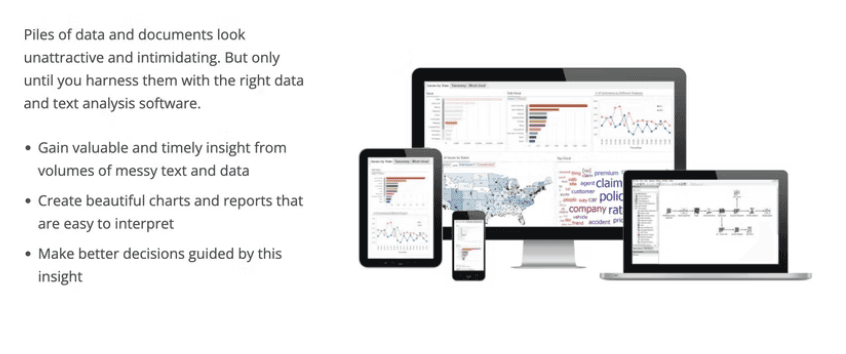
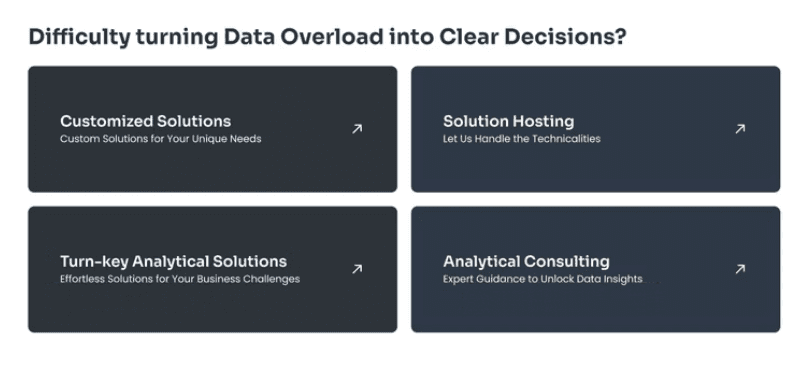
While all the key information is present, it isn’t structured for easy scanning, making it difficult for users to grasp the content quickly.

The improved structure enhances readability, making it easier for users to scan, comprehend, and act on the information quickly.

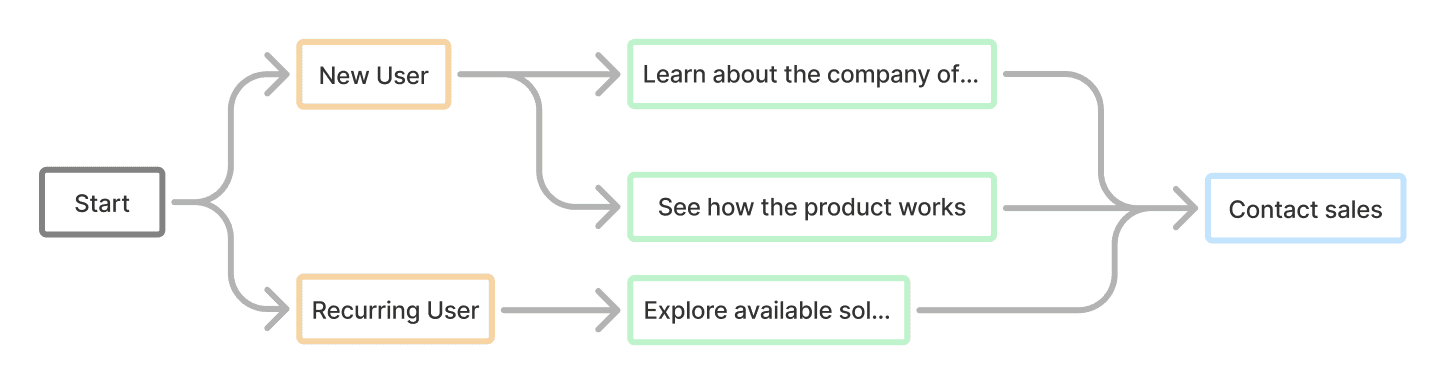
Golden Flow

The redesign was supported by a redefined Golden Flow, bringing together structure and visuals to guide users effortlessly through each page with clarity and focus.
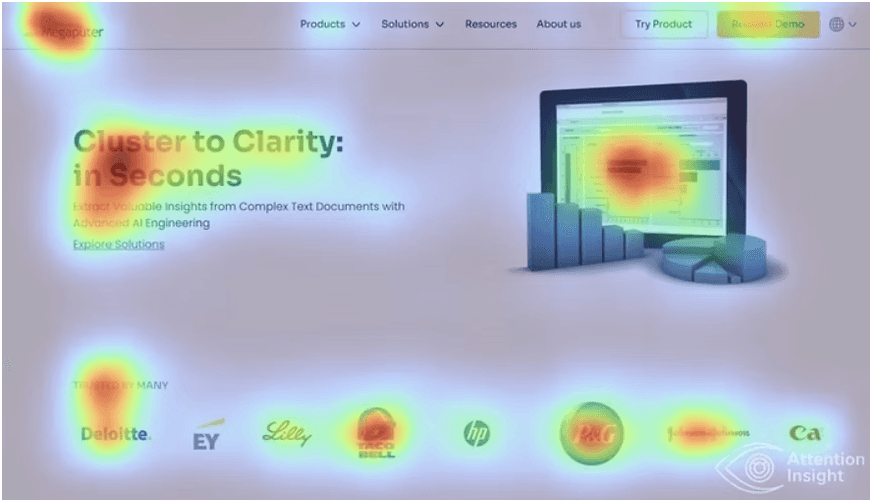
Impact
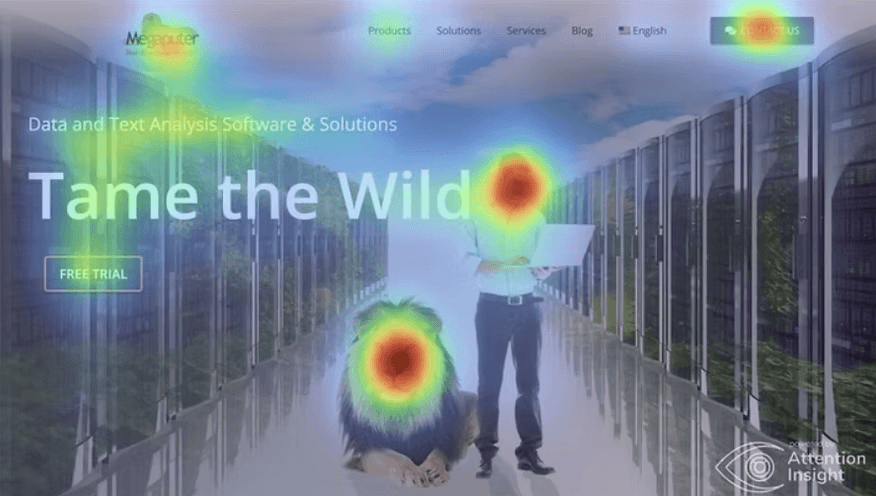
Visuals overshadowed key content, confusing users

Attention on clear information that communicates the company’s purpose.

User Testing

Usability testing was conducted with 6 participants from diverse professional backgrounds to validate navigation, clarity, and overall experience. The sessions revealed key insights that confirmed improved usability, content organization, and user satisfaction.

83% of participants located products and solutions faster with the new structure.

72% reported the redesigned pages felt lighter and easier to understand.

78% felt more confident exploring and trusting the website after the redesign.

Learnings

Working with a cross-functional team taught me that being a good designer isn’t just about visuals, it’s about listening, adapting, and collaborating to make sense of the messy parts. Somewhere along the way, I also fell in love with research and explored a lot about building design systems and while I’d like to say I perfected it, the truth is, design systems are vast and there’s always a new curve to learn from.
If you made it this far, thank you for taking the time!
May your designs be clean and your deadlines kind.

Yours truly,

Let's make networking fun!

1 message = 1 Stamp

Bonus: Meet in person? The tab’s on me!